> ## Documentation Index
> Fetch the complete documentation index at: https://docs.sawmills.ai/llms.txt
> Use this file to discover all available pages before exploring further.
# Invite Users
> Invite users to your Sawmills organization based on the configured invitation method, assign Admin or Member roles, and manage existing team members.
1. If your organization has chosen the [Automatic Invitations](/docs/configure-invitation-method) method, you will not need to manually enter an email address. users from your organization will be able to log in to the system automatically.
2. If the `No Automatic Enrollment` is selected, follow these steps to invite users
* **Access the Organization Profile**:
* Navigate to the `Organization Profile` section under the user icon located on the top right side of the platform.
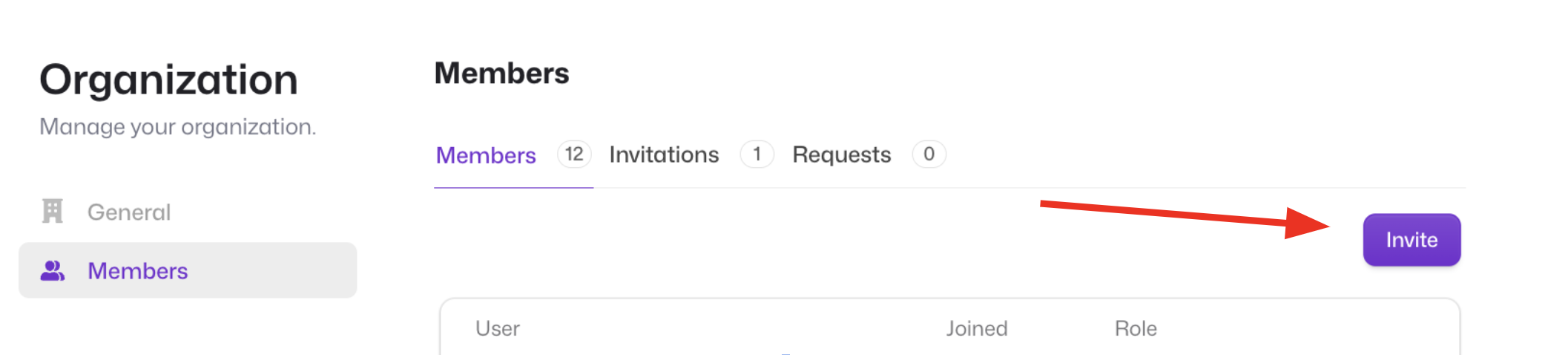
 * **Click on the Invite Button**:
* Within the Organization Profile, locate and click the `Invite` button (under the Members tab).
* **Click on the Invite Button**:
* Within the Organization Profile, locate and click the `Invite` button (under the Members tab).
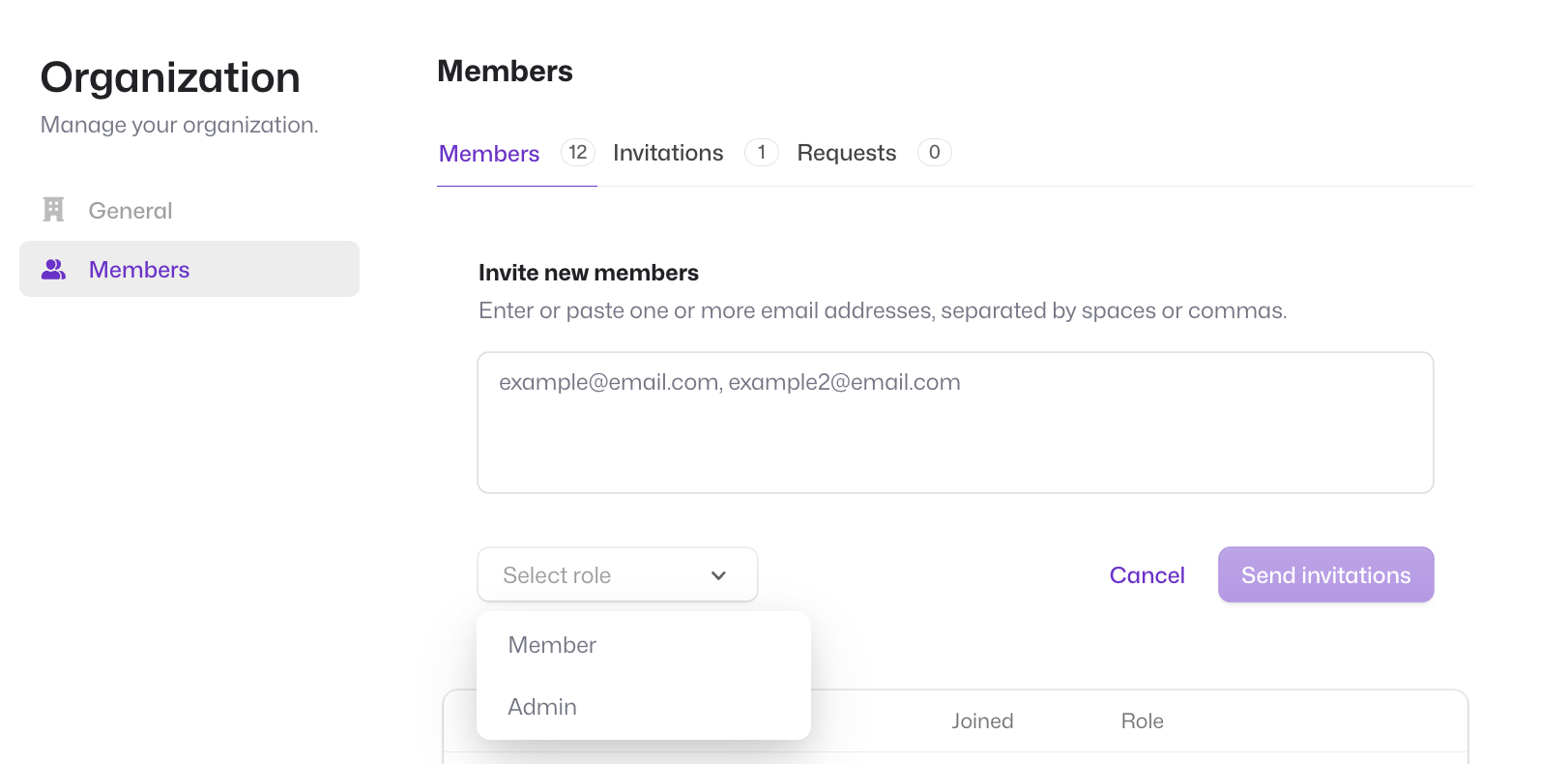
 * You will be prompted to enter the user's email address.
* Choose the appropriate role for the user:
* **Admin**: This role provides the user with administrative privileges.
* **Member**: This role provides the user with standard access rights.
* You will be prompted to enter the user's email address.
* Choose the appropriate role for the user:
* **Admin**: This role provides the user with administrative privileges.
* **Member**: This role provides the user with standard access rights.
 1. **Send the Invitation**:
* Once you've entered the necessary information, click `Send Invitation`.
* The user will receive an invitation email with instructions on how to complete their registration (if applicable).
1. **Remove user**
* To remove a user, navigate to the `Members Section` in the `Organization Profile` section. Click on the 3 dots all the way to the right of the user name. Click on the 3 dots and choose the **Remove member** option
1. **Send the Invitation**:
* Once you've entered the necessary information, click `Send Invitation`.
* The user will receive an invitation email with instructions on how to complete their registration (if applicable).
1. **Remove user**
* To remove a user, navigate to the `Members Section` in the `Organization Profile` section. Click on the 3 dots all the way to the right of the user name. Click on the 3 dots and choose the **Remove member** option