

How It Works
When you configure a fallback endpoint, the following components are automatically set up:- An HAProxy sidecar container is deployed alongside your collector pod
- The HAProxy continuously monitors the health of your collector through periodic health checks and observing any response errors from the collector
- If the collector is deemed unhealthy, HAProxy automatically routes all incoming data to the fallback endpoint
- Once the collector is healthy again, HAProxy resumes sending data to the primary collector
Configuration
Fallback endpoints are configured at the source level, allowing you to specify different fallback endpoints for different sources based on your requirements.Setting Up a Fallback Endpoint
- Navigate to your pipeline in the UI
- Choose the source you want to configure
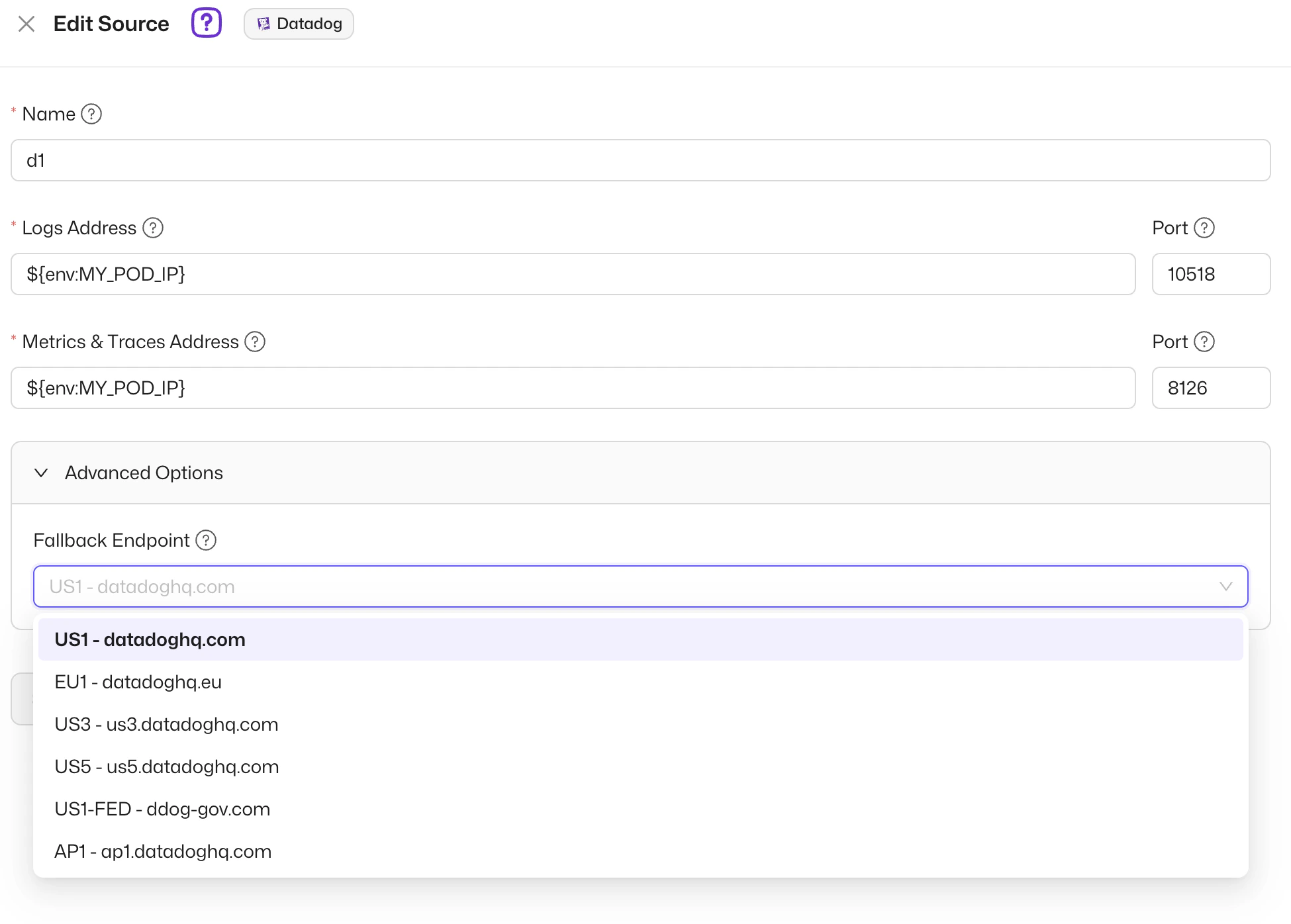
- Open the “Advanced Settings” section
- Choose the Fallback Endpoint URL for this source
- Coralogix
- Datadog
- Elastic
- Grafana Loki
When configuring a custom fallback endpoint for a URL-based source (for
example, Elastic or Grafana Loki), the endpoint URL should be with the
protocol and without the path part (e.g.
http://loki-gateway.default.svc.cluster.local).{” ”}
ingress.
prefix and :443 port.
Configuring Custom Values
For some sources, such as Datadog, it’s possible to control some of the HAProxy configurations such as timeouts. Those advanced configurations can be setup via the values your helm chart. To modify values, update themanagedChartsValues.sawmills-collector.haproxy section in your values.yaml file and then upgrade the remote operator.
-
Connect Timeout
- Description: The maximum time to wait for a connection attempt for the collector and fallback (in milliseconds, default: 5000).
- Type: number
-
Server Timeout
- Description: The maximum inactivity time on the server side for the collector and fallback endpoint (in milliseconds, default: 5000).
- Type: number
-
Client Timeout
- Description: The maximum inactivity time on the client side for the collector and fallback endpoint (in milliseconds, default: 5000).
- Type: number
-
Server Interval
- Description: The interval between health checks of the collector (in milliseconds, default: 2000).
- Type: number
-
Server Rise
- Description: The number of successful health checks to the collector before marking it up (default: 10).
- Type: number
-
Server Fall
- Description: The number of failed health checks to the collector before marking it down (default: 1).
- Type: number
Benefits
- Zero Data Loss: Ensures all logs are captured even when the primary collector is down
- Automatic Failover: Seamless switching between primary and fallback endpoints
- Per-Source Configuration: Flexibility to configure different fallback endpoints for different sources
Fallback endpoints are currently only available for Coralogix,
Datadog, Elastic, and Grafana Loki sources. If you would like to
add a different source, please contact Sawmills support.